AeroView
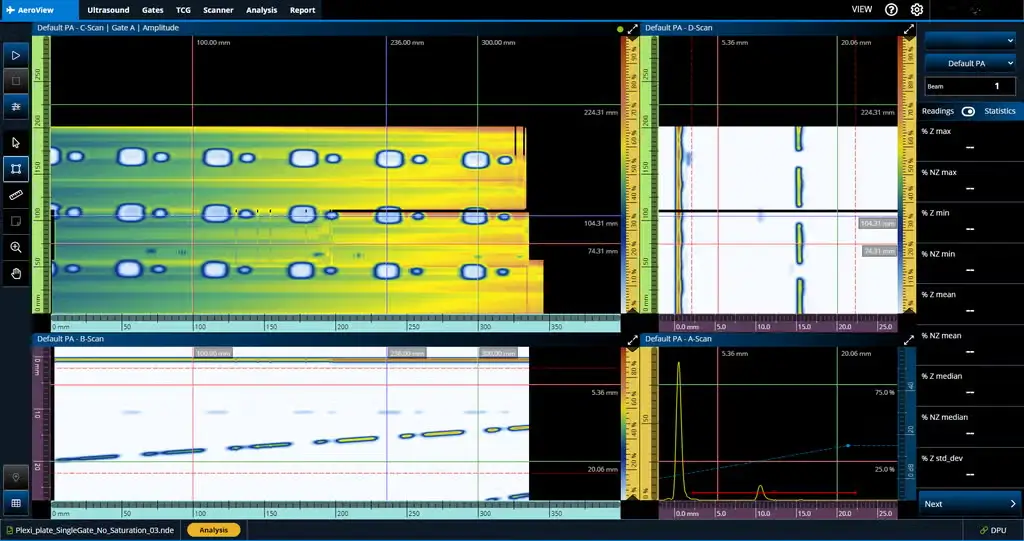
Phased Array UT Data Acquisition and Analysis Software for AerospaceAeroView™ software enables you to acquire and analyze phased array and ultrasonic testing (PAUT) data of inspections performed at 0 degrees with an overlap. This software is specially des
- OmniScan X3 series (all models)
- OmniScan X4 flaw detectors (all models)
- AeroView Inspection software, when driving an OmniScan X4 unit
- CPU: Intel Core i7 or Xeon E3
Streamline Your Workflow with AeroView Inspection
With an AeroView Inspection software license, you can acquire PAUT data directly on a PC olyvia an OmniScan X4 unit, eliminating the need to transfer your data. To increase productivity, AeroView Inspection gives you the flexibility to analyze an inspected part while scanning a new one, as two instances can be open on one computer.
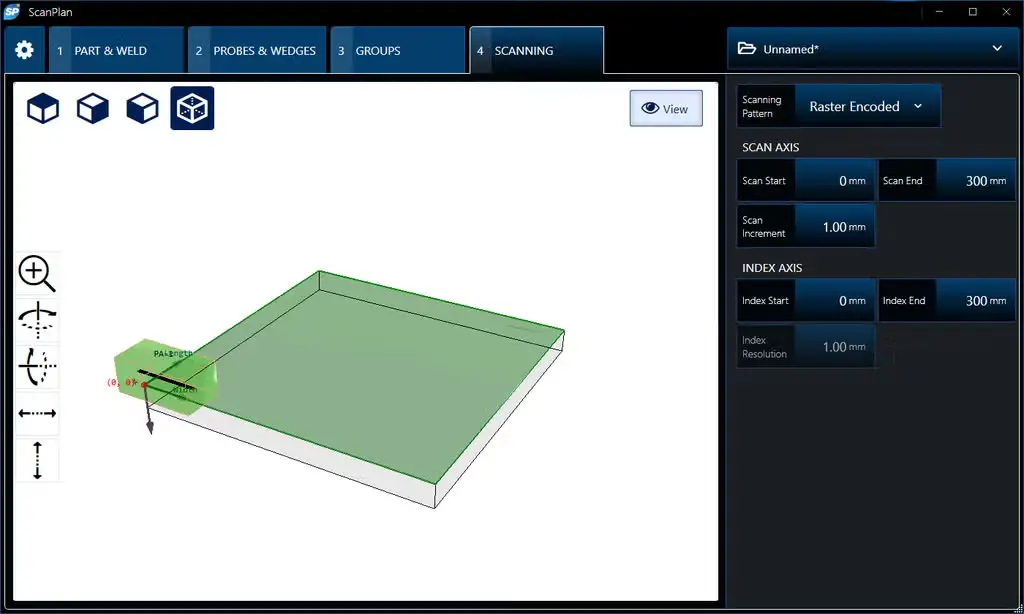
The OmniScan X4 device runs as a black box (using the OmniScan Black Box app), and the inspection is performed on the AeroView Inspection computer. You can create your setup using ScanPlan software, adapting your layouts and palettes. Calibrate your system on a test block, and you’re ready to start. All your data is stored on your PC.
AeroView Inspection is compatible with all Omniscan X4 models and Quickscan iX PA+ acquisition units.
AeroView Software Ecosystem
AeroView Analysis software is compatible with the .nde data format. You can use it to analyze PAUT data acquired at zero degrees (with overlap) using the following instruments and inspection software:
- OmniScan X3 series (all models)
- OmniScan X4 flaw detectors (all models)
- AeroView Inspection software, when driving an OmniScan X4 unit
Software Tools Optimized for Aviation and Aerospace
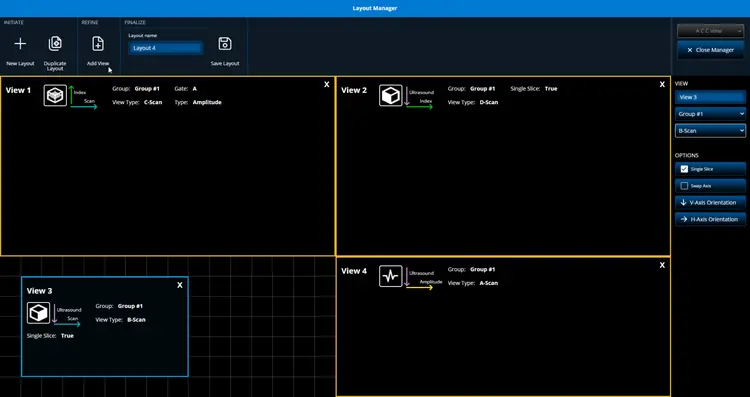
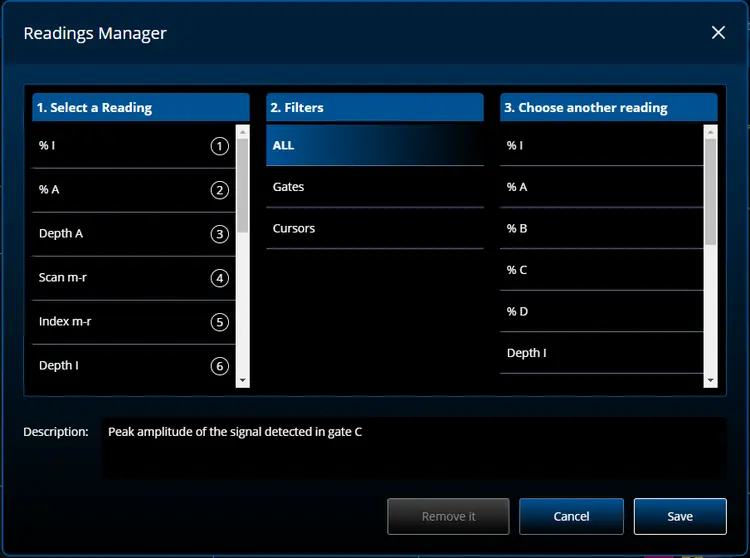
Customize the layout, readings, and color palette to match your needs.
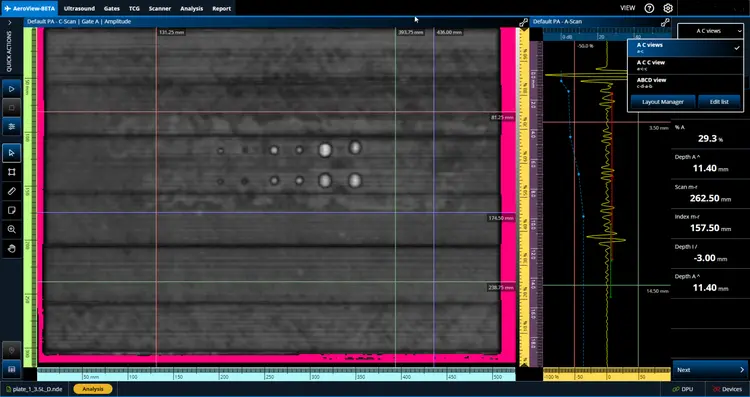
Layout Manager
Easily switch among the layout options on the menu.
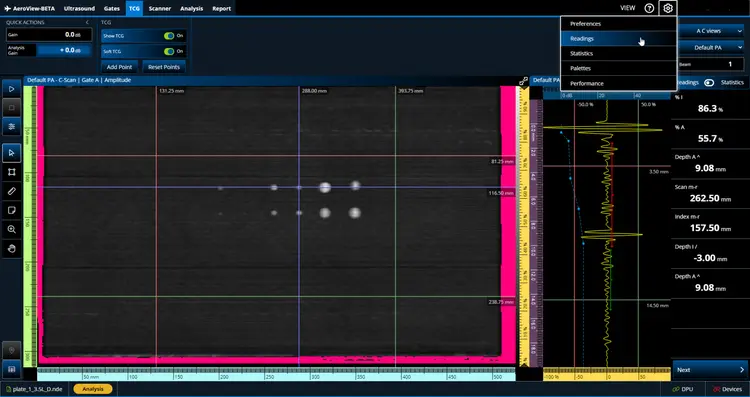
Readings Manager
Choose which readings you want to appear in the Reading pane on the right.
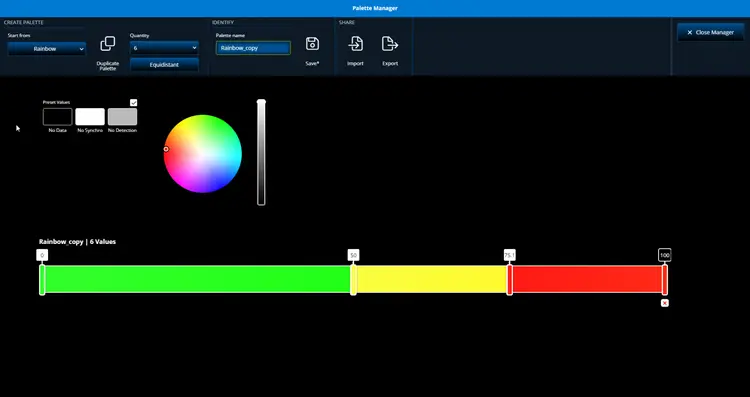
Palette Manager
Customize the color palette or import a palette and save it.
Edit and save a custom layout for your needs or to meet the manufacturer’s specifications.
In-Depth Analysis of Indications for Reliable Verdicts
Leverage the software’s analysis tools to improve your indication characterization capabilities.
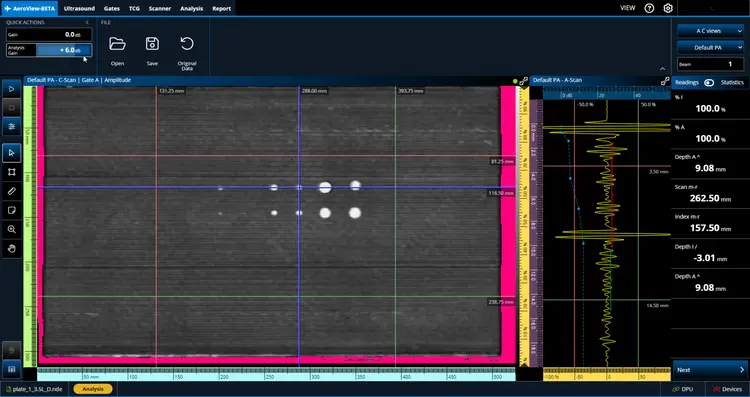
Add Gain During Analysis
The Analysis Gain setting enables you to add or remove gain for to fine-tune the data during your analysis.
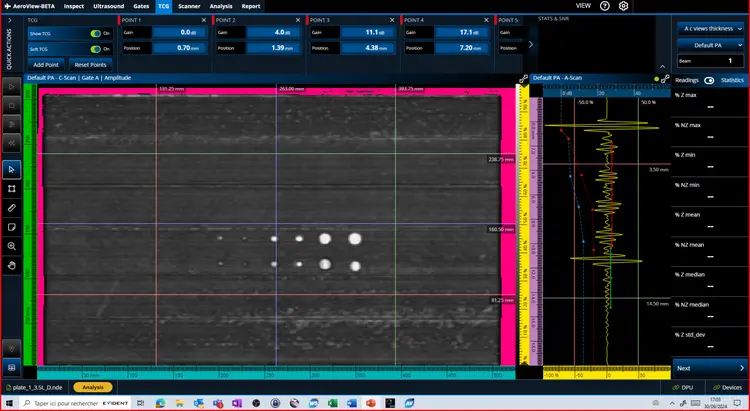
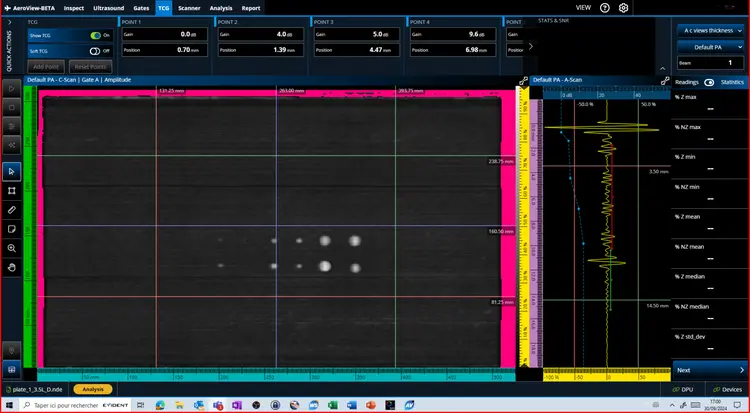
Soft TCG Toggle
Soft TCG enables you to add and remove additional TCG points during your data analysis. You can easily toggle this software gain on and off.
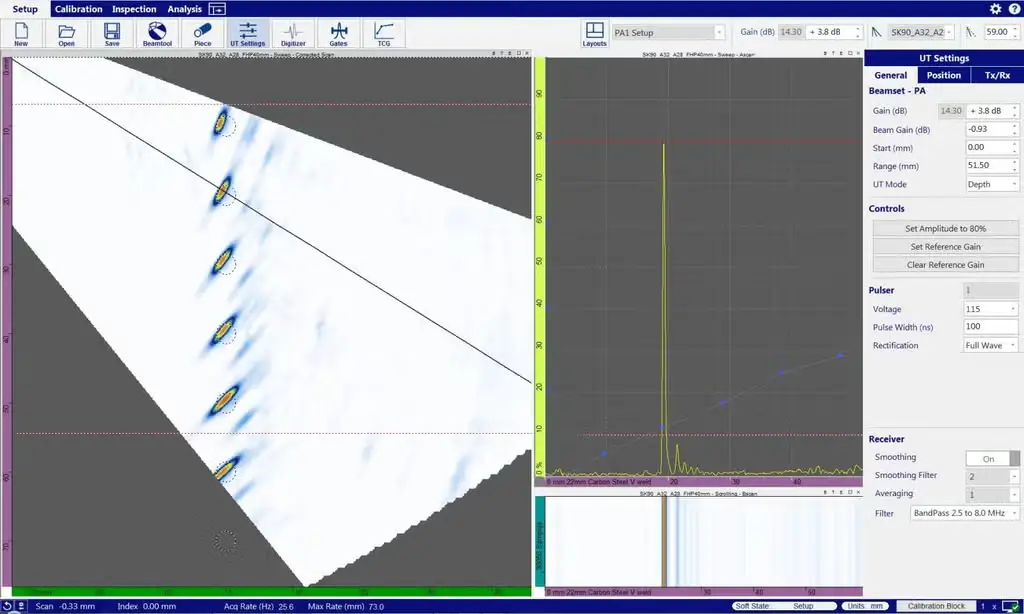
Here we see the TCG that was applied during data acquisition (the blue dots and dotted line).
Examine Your Data in Detail
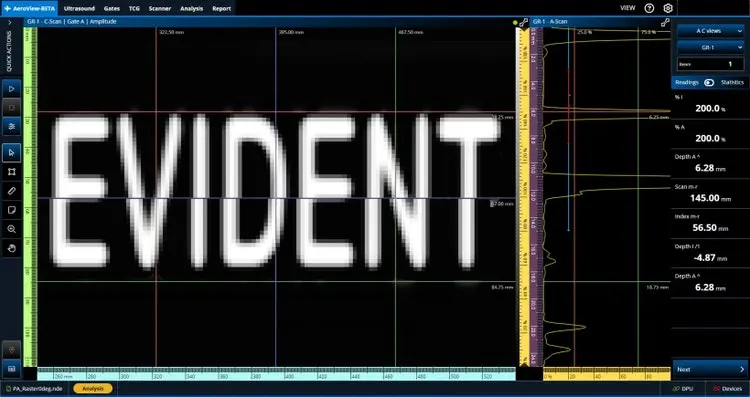
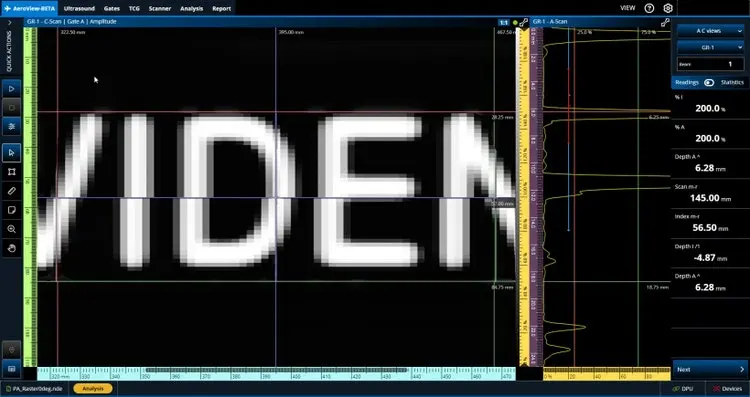
Enlarge a data view so it fills the screen or zoom your C-scan to one-to-one ratio to see every aspect of each indication and improve your characterization.
Full-Screen Mode
1:1 Ratio View
Normal viewing mode.
C-scan when viewed using the standard ratio.
Full-screen mode toggled on for the C-scan.
1:1 Ratio viewing activated.
Compile All Indications in a Table for Your Report
Create an indication table that is customized according to the parameters you need, such as flaw type, readings, threshold, and verdict. The indication table data is stored along with a snapshot image of each indication for your report.
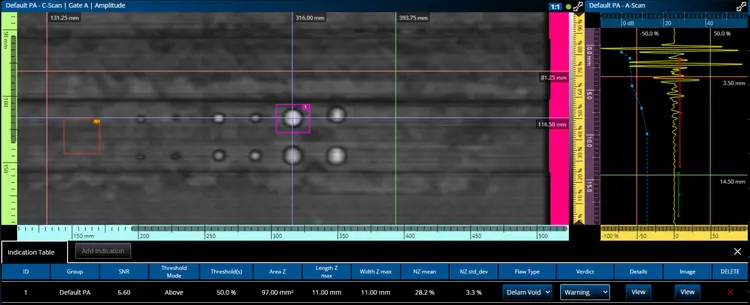
Signal-to-Noise-Ratio (SNR) Calculation
Increase the productivity of your 0-degree PAUT inspections while meeting signal-to-ratio calculation requirements of aircraft manufacturers.
The SNR calculation tools include:
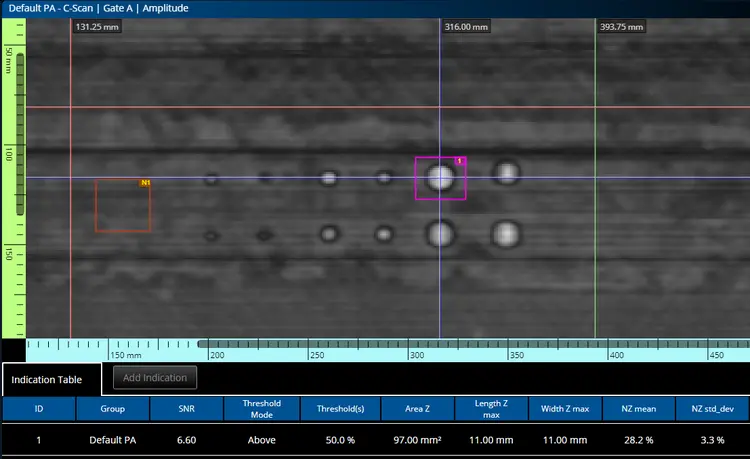
Noise Zone (NZ)
SNR Calculation (Defect Zone)
Right-click to create a noise zone (brown box) where the standard deviation of pixels vs amplitude is computed.
Left-click to draw the pink box around a defect to automatically calculate the number of pixels below the established threshold.
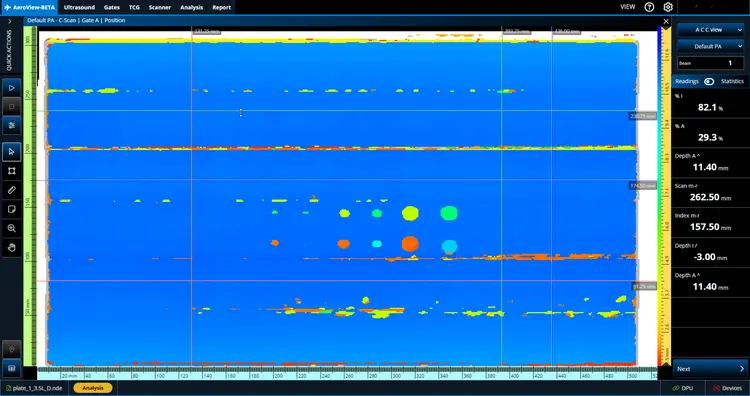
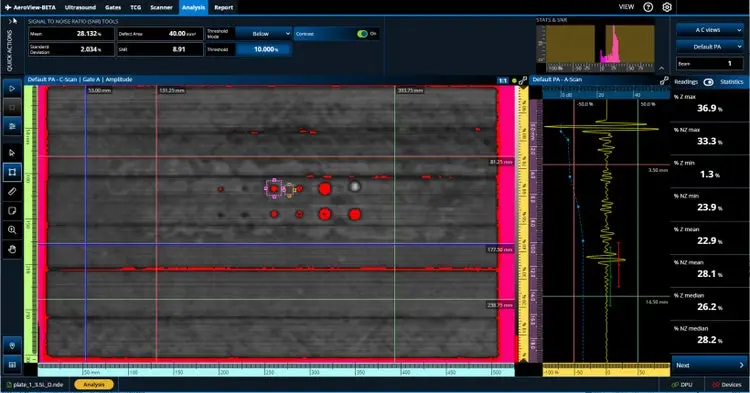
Automatic Contrast
After the threshold has been correctly set for a flaw in a reference standard, you can toggle on the automatic contrast to easily identify indications that exceed the limit.
Here the custom palette displays all pixels with an amplitude below 20% in red (left) and all pixels with an amplitude above 60% in purple (right).
Key Features
- OmniScan X3 series (all models)
- OmniScan X4 flaw detectors (all models)
- AeroView Inspection software, when driving an OmniScan X4 unit
- CPU: Intel Core i7 or Xeon E3
- RAM memory: 32 GB (DDR3 or better)
- Data storage drive: SSD 1 TB
- Network adapter: Gigabit Ethernet card and cat 5 cable
- NVIDIA GPU with compute capabilities 6.1 minimum
- 1600 × 1200 on 4:3 display (1920 × 1080 on 16:9 display) or higher display adapter and monitor resolution
- A keyboard and a pointing device
- Microsoft Windows 10 operating system (2022 update)
Technical Specifications
| Product code | Q1480025 |
|---|---|
| Product name | AeroView-Analysis |
| Long description | AeroView Analysis perpetual software license key. Includes data analysis functionalities only. Does NOT include data acquisition functionalities. AeroView software is compatible with the QuickScan iX PA+ instrument, OmniScan X3 (.nde file only) and OmniScan X4 (.nde). ScanPlan license not included. |
| Product code | Q1480026 |
| Product name | AeroView-Inspection |
| Long description | AeroView Inspection perpetual software license key. Includes data acquisition and analysis functionalities. Does NOT include a dedicated analysis key. AeroView software is compatible with the QuickScan iX PA+ instrument, OmniScan X3 (.nde file only) and OmniScan X4 (.nde).. ScanPlan license included. |
| Product code | Q1480027 |
| Product name | AeroView-Upg |
| Long description | AeroView software perpetual license UPGRADE for Inspection features. Current AeroView-A perpetual license number required to upgrade. AeroView software is compatible with the QuickScan iX PA+ instrument. ScanPlan license included. |